Qarbon Newsletter - Issue 32 - 2007

Qarbon & Composica Partnership Graphic

Hot Off The Press Banner

Hot Off The Press Logo

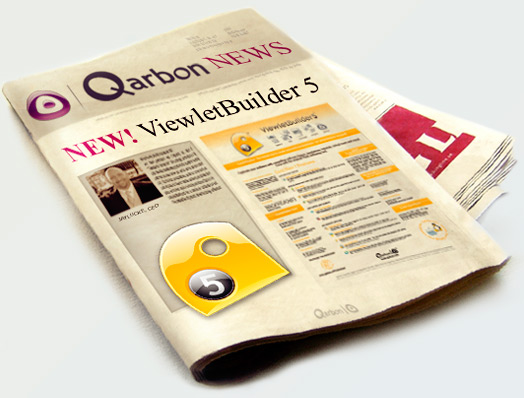
Qarbon Launches ViewletBuilder5

We are very proud to officially announce Version 5 of our flagship product ViewletBuilder. We have rebuilt this product from the ground up and included many of the feature requests you have been asking for over the last few years. We hope you find this tool just as easy to use, but with all the bells and whistles you need to create exciting interactive content. This version is Microsoft Vista compatible too.

Some of you may know that we also released a Quiz/Survey product last year called ViewletACE. We took the release of ViewletBuilder5 as an opportunity to rebrand this product to ViewletQuiz and included many of the new exciting features from ViewletBuilder5. We are giving all of our ViewletACE users a FREE UPGRADE to ViewletQuiz as well. To request your new license code, click HERE.


Click HERE to see our current upgrade promotion.


Monthly Specials Banner

Monthly Specials Logo

Buy a copy of ViewletBuilder5 at the regular price and add the power of ViewletQuiz for just $99!

Hurry now, offer expires 8/19/2007. This does not apply to upgrade purchases.

When you add ViewletBuilder5 to the shopping cart from our online store, an option to add ViewletQuiz for $99 will appear below. If you click the order button it will add the product to your cart and show you how much you saved.


Click HERE to go straight to the store!


Webinars & Workshops Banner

Webinars & Workshops Logo

ViewletBuilder5 is HERE! Whether you're a Viewlet master or new to Viewlet technology, taking a training Webinar for our new generation of ViewletBuilder will help you get up to speed on the changes and leave you excited to get started. We are currently offering a series of ViewletBuilder5 Webinars each with a different focus. Take one or take all ... it's up to you!


Introduction to ViewletBuilder5

Explore the ins and outs of ViewletBuilder5's layout from the interface to working area! In this session, we'll familiarize you with the tools available and guide you to understand how to access the various features.

ViewletBuilder5 Basics

This session focuses on best practices to think about when creating content with ViewletBuilder. You'll gain a better understanding of Smart Capture and how to use it to obtain quality output. When you are through, you'll have the expertise to create compelling content from start to finish.

VB5 Understanding the Timeline

Did you know that with ViewletBuilder5, you can have more than one balloon and/or note on a slide? You can! With ViewletBuilder5 you've been given more control by incorporating a timeline. In this session we'll focus on how to use the timeline and how to access tools that assist you in fine tuning timing. With ViewletBuilder5 you are in the driver's seat and you get to determine when and how things appear for your audience.

VB5 Adding Interactivity to Your Project

Interactive content is always more engaging! This session focuses on the process for adding interactivity. ViewletBuilder5 offers a wide range of actions associated with various events like "On Correct" , "On Incorrect", and even "On Click" or "On Rollover". Learn how easy it is to not only make your content more effective but fun!


Product Updates Banner

Due to the increased demand for an Intel supported Mac version of ViewletBuilder4, We are happy to say that we are close to completion of this project and we should be moving into beta within the next few weeks. If you would like to be part of the beta testing program, please send an email to macbetatester@qarbon.com.


Monthly "How To" Banner

Monthly "How To" Logo

Monthly "How to" Viewlet - Inserting Different Screenshot Sizes into Existing Projects

Ever wish you could insert screenshots that are a different slide size than your existing project? With ViewletBuilder5, your wish has been granted. Now you can choose what you capture and how you'd like it aligned on your slide. Watch this Viewlet to see how easy it is to add screenshots to your existing project no matter what the slide size is.

Watch THIS Viewlet to learn how!


Note from the CEO Banner

CEO Logo

Dear Subscribers,

We've been working night and day over the past few months perfecting the next generation of products for you. I am really proud to say that our team has hit a home run with ViewletBuilder5. Please download the new version when you have time and see for yourself.

I wanted to personally thank all of you who have been supporters of Qarbon since the LeeLou days. We value our community of users and we hope you will see the effort we put into making this new version even more feature rich while still keeping it easy to use. It took a little longer than expected, but I think it was worth the wait. If you like what you see, tell a friend or post a comment or review in a blog or forum. You could even talk about it at your next conference. Qarbon would love to reward people for spreading the word about our products. If you send an email to marketing@qarbon.com regarding a post you've made on the Internet or referral, we'll evaluate it and make sure you get something in return.

On a side note, we've got another exciting new product in development that we feel will make your life even easier! Stay tuned for more....


Take Care,
Jay Lucke


If you have any questions or comments, please send them to marketing@qarbon.com.
Thank you for using our products.

The Qarbon Team


You are receiving this newsletter because you provided us your email to send you updates about Qarbon's Presentation Software. If you wish to be removed from our mailing list, use the link provided below.

Qarbon Presentation Software